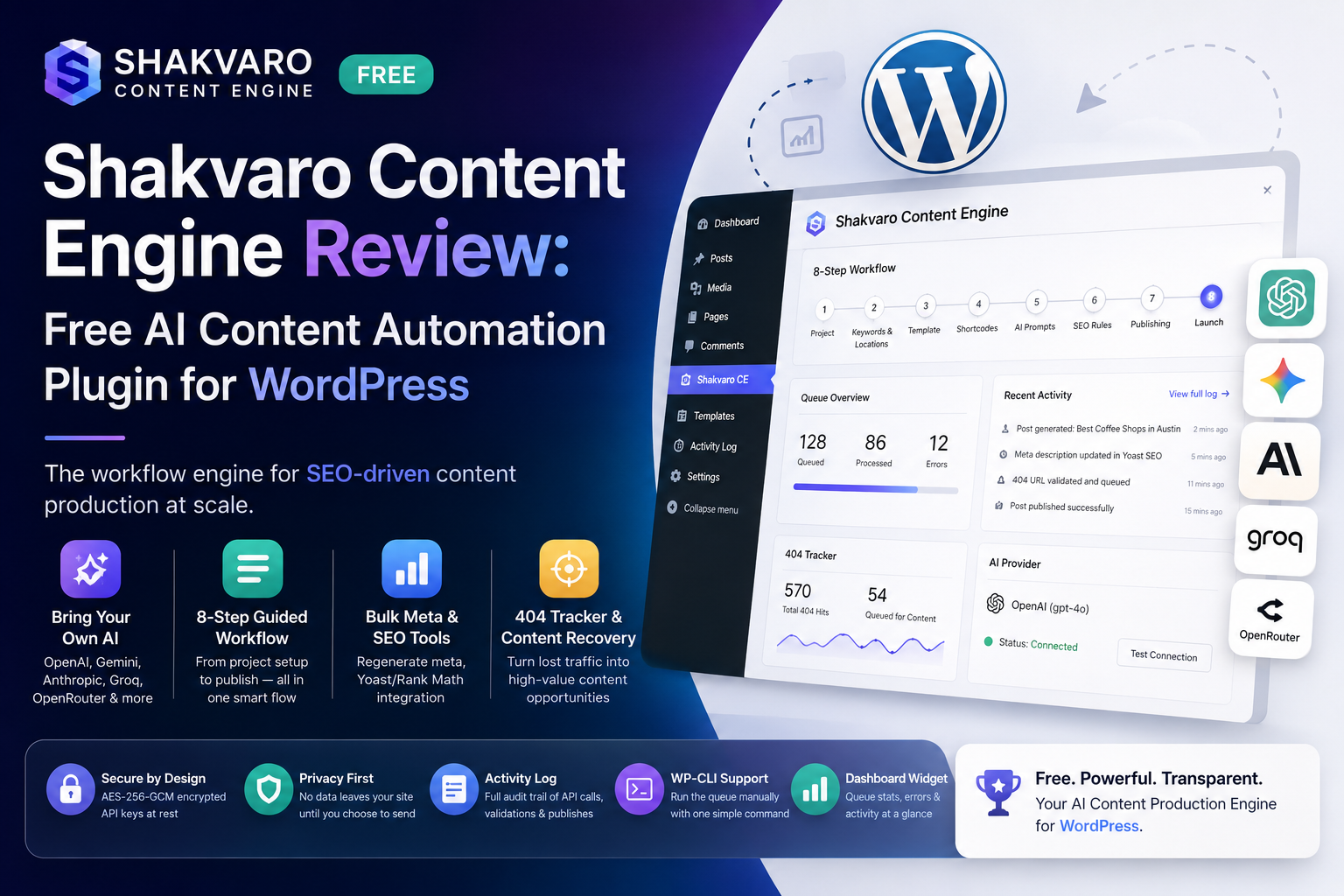
If you run a WordPress site and generate content at scale — new posts, meta descriptions, recovering dead 404 traffic — you’ve probably hit the wall every SEO team hits: AI tools help write one post fast, but they don’t manage a pipeline. Shakvaro Content Engine (SCE) is a free WordPress.org plugin built to close that gap. Here’s what it actually does, based on a hands-on look at the plugin code and its full feature set.
What Is Shakvaro Content Engine?
Shakvaro Content Engine is a workflow engine for SEO-driven content production, not just a “generate a post” button. It’s built around a guided 8-step wizard: define a project, pick keywords and locations, choose a content template, configure dynamic shortcodes, write your AI prompts, set SEO rules, configure publishing, then launch. Once launched, generation runs in the background via WP-Cron with retry logic and rate limiting — so you can queue up dozens or hundreds of posts and let the plugin work through them.
It’s built for agencies, in-house SEO teams, and content operations producing content on a recurring schedule — not for someone who wants to write a single blog post with AI assistance.
Bring Your Own AI Provider
SCE doesn’t lock you into one AI vendor. It works with any OpenAI-compatible chat endpoint, so you can plug in:
- OpenAI
- Google Gemini
- Anthropic (via compatible gateway)
- Groq
- OpenRouter
- Or a self-hosted LLM gateway
You bring your own API key, and the plugin includes a Test Connection diagnostic so you can confirm your provider works before launching a workflow. No account with Shakvaro is required to use the core plugin.
Core Features (Free Plugin)
Everything below ships in the free, WordPress.org-distributed version — no locked buttons, no forced upsell to use it:
- Guided 8-step workflow with breadcrumb navigation and a Resume Workflow shortcut if you leave mid-setup
- Bulk meta description regeneration — filter posts by category and rewrite hundreds of meta descriptions in one batch
- Yoast SEO / Rank Math integration — generated meta descriptions and focus keywords write directly into whichever SEO plugin you already run
- 404 tracker — logs 404 hits and lets you queue the worthwhile ones straight into the content pipeline instead of losing that traffic
- Template system — Block Editor (Gutenberg) templates with dynamic shortcodes that map to AI-generated sections, compatible with Elementor
- CSV keyword/location bulk import — load your keyword list once instead of typing them in one at a time
- Activity log — every API call, validation pass, and publish event is recorded for audit and debugging
- WP-CLI support — trigger the queue manually with
wp cron event run shakcoen_process_queue - Dashboard widget — queue stats, error counts, and recent activity at a glance without opening the full admin screen
Generated posts are tagged with a _shakcoen_generated post meta key, so the plugin never silently touches content it didn’t create — bulk actions only run where you explicitly trigger them.
Security and Data Handling
A few things worth knowing before you install:
- Secrets are encrypted at rest. API keys are stored using AES-256-GCM encryption, not plain text in
wp_options. - Settings import/export uses an allowlist of option keys, reducing the risk of a bad import clobbering unrelated settings.
- No data leaves your site until you configure a provider and trigger a generation. The plugin is explicit about this in its external-services disclosure.
- Optional analytics is off by default. Shakvaro WP Insights, an opt-in usage-analytics service, sends only anonymized environment data and aggregate counts (never your content, prompts, keywords, or API keys) — and only if you explicitly turn it on.
Free vs. Pro
The free plugin is fully functional standalone. Shakvaro Content Engine Pro — a separate paid add-on distributed off WordPress.org — adds the automation layer on top:
- Auto-processing queue cron and a 404 AI validator that auto-queues worthwhile 404s
- AI image generation (DALL·E 3, Imagen, Replicate SDXL) with smart alt text and duplicate rejection
- Automatic internal linking, broken-link scanning, and anchor-diversity checks
- RSS auto-blog with per-feed AI prompts and deduplication
- JSON-LD schema (Article/FAQ/Breadcrumb), content-decay detection with auto-refresh, and crawl hygiene rules
- AI-detection/plagiarism gating (Originality.ai) and keyword-volume data (DataForSEO)
- REST API access for headless setups, multi-template routing by category, and CSV log export
If you’re running one site and want to batch-generate content or clean up meta descriptions, the free plugin covers it. If you’re running an SEO operation across many sites with automated 404 recovery and image pipelines, Pro is where that scales.
Should You Install It?
Good fit if:
- You already have (or are willing to get) an OpenAI/Gemini/compatible API key
- You want a structured, repeatable content pipeline instead of ad hoc AI post generation
- You need to clean up meta descriptions across a large existing post archive
- You’re running Yoast or Rank Math and want AI output to land directly in those fields
Not a fit if:
- You want a single-click “write my next blog post” tool with no setup
- You don’t want to manage an API key/billing relationship with an AI provider
Bottom Line
Shakvaro Content Engine is a legitimate free alternative to paid AI-content plugins, with a workflow-first design that separates it from simple “AI writer” tools. The bring-your-own-key model keeps ongoing costs transparent, and the plugin is upfront about what data goes where. Worth a look for any WordPress site treating content production as a repeatable process rather than a one-off task.
Plugin homepage: https://shakvaro.com/shakvaro-content-engine